



Vivo X60 Pro Features with Review: Vivo x60 Pro Camera Features, build, design, price in India, pros and cons.
Build and design
The Vivo X60 Pro is available in two colors: Midnight Black and Shimmer Blue. The phone is incredibly thin, at just 7.59mm thick. The slim form factor, curved screen, and satin-textured glass back panel come together to make this phone a joy to hold. The Vivo X60 Pro feels pricey and the textured power button only adds to the experience.
Also, read Free Fire redeem code 1 May 2021.
I tried the Shimmer Blue variant, which I found a bit flashy. The included cover does a good job of reducing glare while preserving the slim feel of the phone. It also protects the camera well, considering that the module sticks out quite a bit. However, I think that Vivo has prioritized protecting the phone’s appearance over protecting the phone with this case. It seems to protect only the four corners of the phone, leaving the sides of the phone to fend for themselves. If the phone lands on either of these sides, the screen (and possibly the glass back panel) could break. If you were buying, you would invest in better coverage right away.
In the box, Vivo includes a fast charger and wired headphones. I can’t remember the last time I saw a bundled headset, and that made me smile. There is no official IP rating for the X60 Pro, but there is a rubber gasket on the SIM tray that tells me that Vivo has done some basic waterproofing to protect the phone. The device is also lightweight, weighing in at just 179 grams.
However, speaking of audio, there is no stereo sound on this phone, and that’s not the end of speaker problems. While this little speaker is loud, the output is squeaky and generally terrible. It makes the overall experience cheaper and is probably why the headphones are included in the package. The headphones themselves are of good quality, which is a huge plus.
Monitor
The screen is modest in size at 6.56 inches. It is an AMOLED screen with a refresh rate of 120Hz and a resolution of 2376 x 1080 pixels. While this sounds great, the real feel and ease of use of the device are its strengths. Vivo has paid attention to the feel of the phone and oozes luxury.
What’s not fancy is the included display cover. It is quite rubbery and feels more like a packaging material than a protector. I would recommend removing it for a complete phone experience.
The screen is protected by Gorilla Glass 6 on the front and back and should protect it from most scratches. It is HDR10 + certified, which translates to better images when gaming and watching movies. It is also bright enough to be readable in direct sunlight.
The screen has a perforated camera; That being said, I don’t like drilled holes in my displays, especially the ones that are located in the top center. The dimensions of this phone are so good that I really don’t want anything like an extra bezel or a pop-up camera messing with it.
software
The Vivo X60 Pro runs Funtouch OS, which is a rather strange name, almost inappropriate for an operating system. It has a minimalist look which I like, and in most cases, it works well. The biggest complaint I have is the constant push for sponsored content. Since this is the Pro version, Vivo gives me some options to get rid of unnecessary distractions. There is a folder full of Hot applications and game links that I can’t get rid of. It is not good looking to call folders in FunTouch OS ‘hot’.
Vivo has also included its own app store for the phone along with the Google Play store. However, V-Appstore keeps pushing apps like Teen Patti, MPL, and Snacky Takatak as essential every time you open it. Again, you cannot delete this additional app store.
The X60 Pro is powered by a Snapdragon 870 chip that has an Adreno 650 GPU. This thing can handle long gaming sessions with ease. Running games at their highest settings is not a problem. Everything runs smoothly and is well represented on the 120Hz screen. The 240Hz response rate definitely has its benefits in games like Free Fire. While the phone can handle games at maximum settings, it cannot handle the generated heat. This phone gets very hot relatively quickly. It took Genshin Impact approximately 15-20 minutes to warm up the phone. You can still play it, but it is not comfortable at the moment.
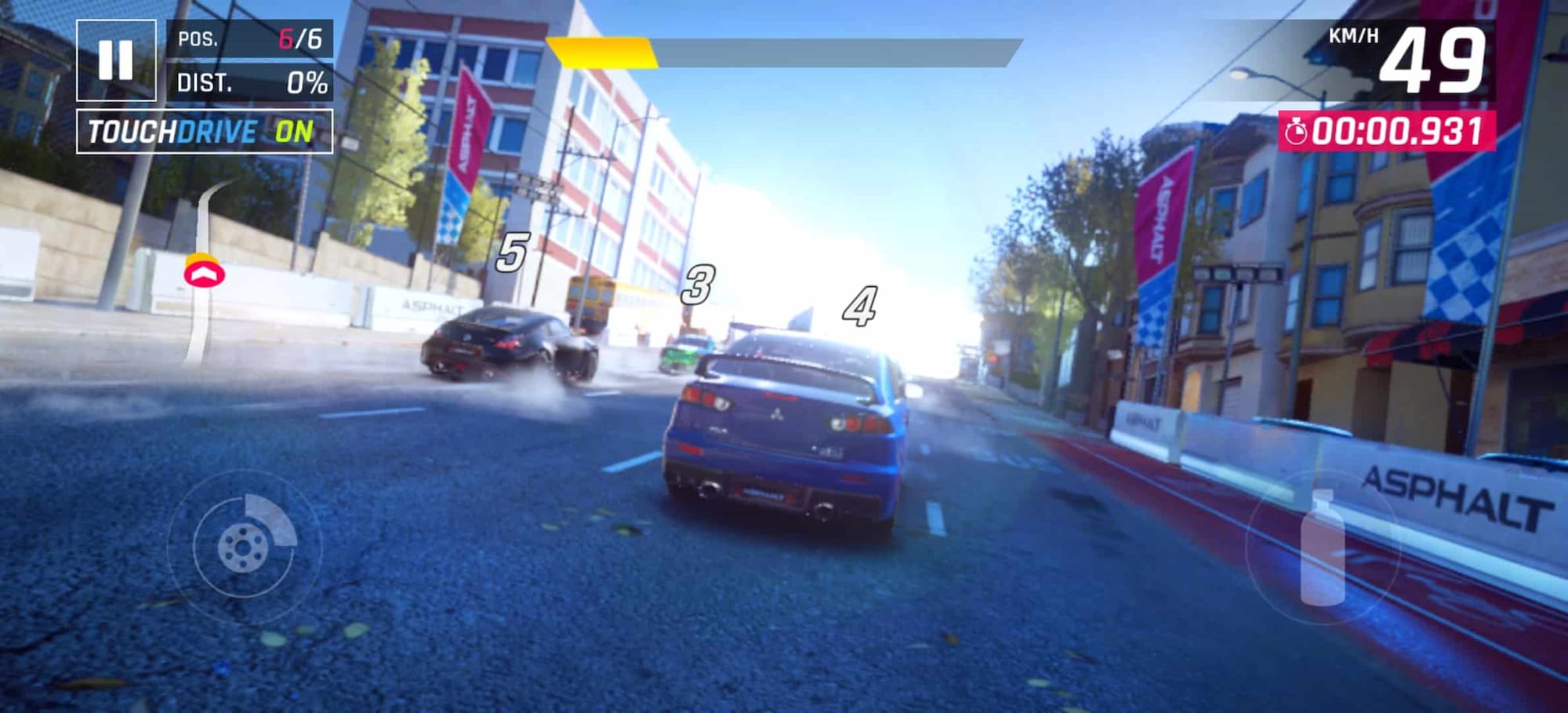
Game screenshot
In regular use, the phone remains cool, but prolonged video-viewing sessions and heavy application use can cause the phone to heat up again, but this is nowhere near how hot the phone gets during gaming sessions. intense.
The Snapdragon 870 may not be the flagship 888, but you won’t be able to tell the difference while using the phone.
Vivo x60 Pro Camera Features
Sure, it’s not the X60 Pro + with its fancy camera setup, but this one has a few tricks up its sleeve, too. For starters, the 48 MP main camera has Vivo’s Gimbal Stabilization 2.0. This thing is a game-changer. The videos on this phone are super smooth and with the images, there is almost no blur, even when capturing a fast-moving subject.
Vivo X60 Pro camera software
However, the camera has problems with a focus in Macro mode. I had to take multiple shots of the same subject to hook one without any blur. The other complaint I have is the Supermoon mode. It doesn’t work at all. Sure, I got some nice night shots, but no Supermoon shots. I feel like the option was only included because it exists on the X60 Pro + and they forgot to remove it from it.
Click on the Flickr album below to scroll camera samples clicked on Vivo X60 Pro.

Speaking of night mode, it is deeply impressive and hands down one of the best night modes I have ever experienced. The color and details of photos taken in this mode are excellent. You can take a zoom shot, a wide-angle picture, or even a night panorama shot, which is something you haven’t seen before.
Portraits, especially those taken with the main camera, will blow you away. The blurring effect works well, especially around the hair, which is great. There are bokeh effects like hearts and butterflies that can be added for a more elegant shot. The front camera, unfortunately, does not offer the bokeh effects. While portraits taken with the selfie camera look good, the blur is not as impressive as with the rear camera.
Color reproduction in most cases is quite good. There is a bit of a red tint in the portraits, but it is not something that cannot be fixed with some edits.
Video production on this phone also benefits from the gimbal. You can shoot super smooth video even from the back of an auto-rickshaw, and there’s even a cinema mode that crops video to a 2.35: 1 wide cinema format. The microphones can also be used to focus on subjects while zooming out. background noise. What’s missing is a Pro video mode though, which is a shame as this camera is crying out for it to be used for making movies.
Along with the camera hardware, much of the credit goes to the software. The additional settings for each model have been clearly thought out. And this is precisely what makes the non-working Supermoon mode even more frustrating.
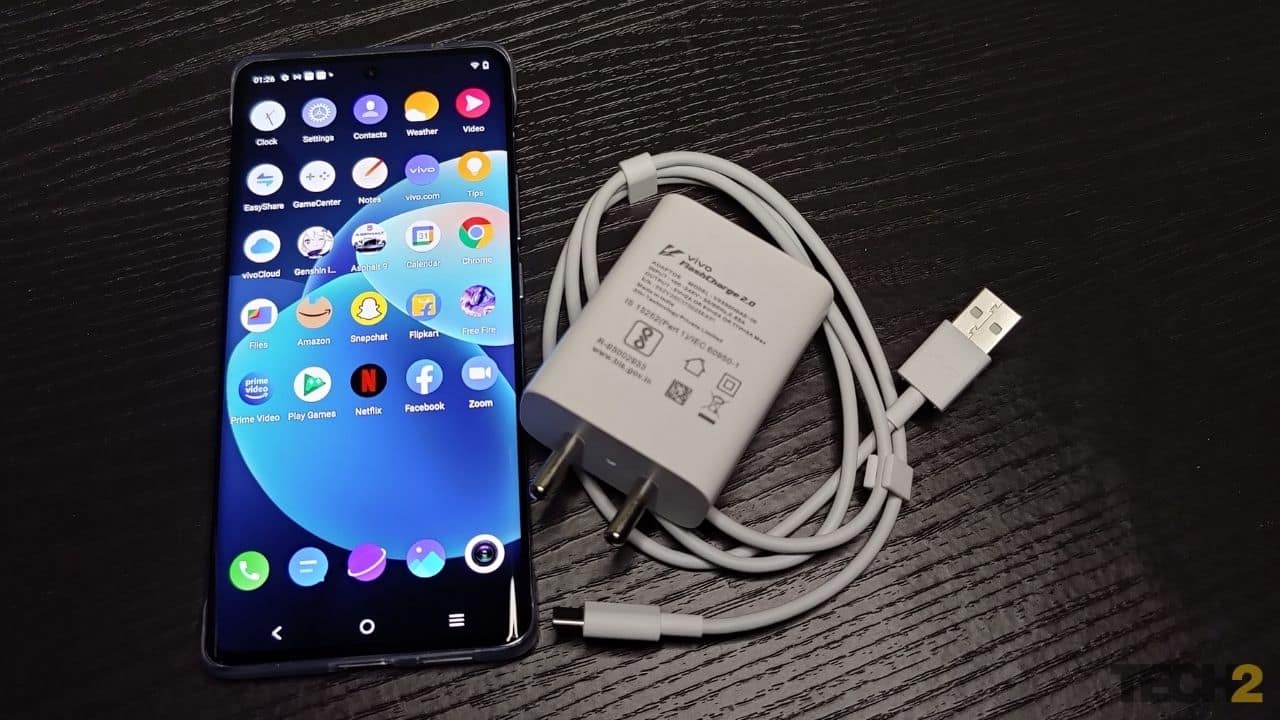
Vivo X60 Pro comes with a 33W fast charger. Image: Jaison Lewis
Drums
The 4,200 mAh battery capacity in the X60 Pro is a bit lower than most phones in this price range, but it doesn’t seem to be lacking in regular operation. It could easily last a day while you go about your daily tasks. However, turn up the intensity to the maximum and the battery will last a little over four hours and 30 minutes. Fortunately, the Vivo X60 Pro charges like a champ with the included 33W charger, so a full charge takes about an hour and 10 minutes from scratch. This charging speed reduces the relevance of a larger battery while allowing this phone to benefit from an incredibly slim form factor. So, it was worth the sacrifice.
Price: Starts from Rs 49,990 on Amazon
Build and Design – 4
Screen – 5
Software – 4
Camera – 4.5
Battery Life – 5
Overall Rating – 4.5 / 5
Pros
- The phone is sleek and feels amazing to hold
- The processor is a workhorse
- The gimbal camera is excellent.
- Headphones and fast chargers included.
Cons
- Funtouch OS desperately needs a deployment
- The phone heats up quickly if you play at the highest settings
- Supermoon camera mode does not work
- The speaker is loud but does not sound good
specs
Display: 6.56-inch AMOLED, 120Hz refresh rate, 2376 x 1080 pixels
Chipset: Snapdragon 870
Graphics: Adreno 650
RAM + Storage in GB: 12 + 256
Expandable storage: NA
Main camera: 48 MP, f / 1.5 aperture with gimbal stabilization
Secondary cameras: 13 MP telephoto and 13 MP f / 2.2 ultra-wide-angle
Selfie camera: 32 MP with f / 2.5 aperture
Battery: 4,200 mAh
Software: Android 11 with Funtouch OS 11
Colors: Midnight Black, Bright Blue
The Vivo X60 Pro is the middle child of the recently launched Vivo X60 series. Priced at Rs 49,990 for the 12GB RAM and 256GB internal storage version, the X60 Pro falls between the standard X60 and the fully-loaded X60 Pro +. While it’s not the top-of-the-line version, it still packs enough premium features to justify its existence. But how do you combine the Vivo X60 Pro as a package? Is this the phone that will best suit your needs on a Rs 50,000 budget? We answer all your questions in our comprehensive review.
Conclusion
The Vivo X60 Pro is a phone that I think will find many interested parties, simply because it is priced appropriately. Despite not being the flagship of the series, it manages to sacrifice very little in the end. I think a value-conscious market like India will appreciate the balance that this phone has managed to achieve.
However, Vivo needs to rethink FunTouch OS, starting with the name but more deeply with the inclusion of paid content and inescapable app inserts. Live – Start saving the Pro and Pro + versions of your phones from this. People have paid more for a better device, charge them a little more so you don’t have to send them this content.

She is a freelance blogger, writer, and speaker, and writes for various entertainment magazines.
Comments are closed.