


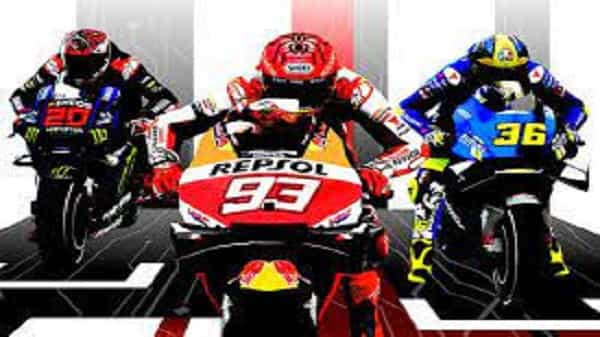
Fix Lagging & Freezing in MotoGP 22 Crashing on PC: MotoGP 22 brings virtual and real racing perfectly, providing gamers of sim-racing an authentic experience. For the first time, this game offers users a game mode in which they can compete against their fellow players in split-screen mode.
If you’re all set to dive into the game, but you are struggling because MotoGP 22 keeps slow or freezing or even crashing on your PC, this guide is ideal for you.
READ MORE: TheoTown codes (April 2022).
Fix Lagging & Freezing in MotoGP 22 Crashing on PC
Here are the items you must look up to determine the cause of MotoGP 22’s crash midway or during the start.
Check the System Requirements if MotoGP 22 is Not Launching
One of the most common reasons the game can’t start or start on a PC is that your system isn’t compatible with the game’s requirements.
MINIMUM Requirements:
- It requires a 64-bit processor as well as an operating system
- OS: Windows 8.1 64-Bit or later
- Processor Intel Core i3-4160 (2 * 3600) AMD FX-4350 (4 * 4200) or equivalent
- Memory: 8 GB RAM
- Graphics GeForce GT640 (2048 VRAM) Radeon R7250 (2048 VRAM) or equivalent
- DirectX: Version 11
- Storage: 30 GB available space
RECOMMENDED Requirements:
- Requires a 64-bit processor, and operating system
- OS: Windows 8.1 64-Bit or later
- Processor Intel Core i5-7600K (4 * 3800) AMD FX-990 (8 * 4700) or equivalent
- Memory: 8 GB RAM
- Graphics GeForce GTX 1050 Ti (4096 VRAM) — Radeon RX 580 (8192 VRAM) or equivalent
- DirectX: Version 11
- Storage: 30 GB available space
In other words, if you’re running Windows 7 or have less memory, you won’t be able to enjoy the sport in all its beauty. Make sure to update your OS and other specs to take advantage of MotoGP 22 without interruptions.
READ MORE: Roblox Rocket Rush Simulator Codes (April 2022)
Fix Lagging & Freezing in MotoGP 22 Crashing on PC
Update the Game
- In the event of a bug creating the crash, make sure you update your game to the most current version available on Steam.
Close Background Programs
- Sometimes, other programs are running in the background, which could hinder your game’s launch. Be sure to shut them the entire time (especially Google Chrome) and then begin the game.
Verify Steam Game Files
- Open up Steam.
- Select Library and then select MotoGP 22.
- Right-click and go to Properties.
- Head to Local Files.
- Click on Verify Integrity of Game Files.
- Then, restart the game and check whether the issue is resolved.
Update the Graphics Drivers
- Download the latest versions of the files via the official NVIDIA and AMD websites. Start the game and test if the problem persists.
Restart your PC & Run as Administrator
- The traditional fix could be effective in this situation as well. Reboot your computer and then play the game as an administrator to see if this solves the problem. Right-click MotoGP 22’s icon and select the Run as Administrator option.
Fix Lagging & Freezing in MotoGP 22 Crashing on PC
Turn Off Steam Overlay
- Start the Steam application on your PC.
- Click on Steam on the Menu on top > Settings.
- Click on the tab in-game and remove the Enable option. Steam Overlay while In-Game option.
- Click OK, and then load the game on Steam.
- You can follow the exact steps and check off the matching option to turn on this feature. Steam Overlay when you are looking to play a different game.
READ MORE: How to Back Up Your World in Minecraft?
Restart Steam
- Navigate to Task Manager and shut down the Steam Processes.
- Reload your Steam client and launch the game. Make sure the error appears.
Verify if the antivirus or Firewall is blocking access
Let the gameplay through your Antivirus program and Firewall or temporarily disable them while you play the game.
These are the possible reasons and solutions to stop slowdowns, freezing, and crashes in MotoGP 22 running on PC.
If none of these work for you, contact Steam Support for assistance.
This is all there is to it. For more information on tips, tricks and tips, look on News Gater.